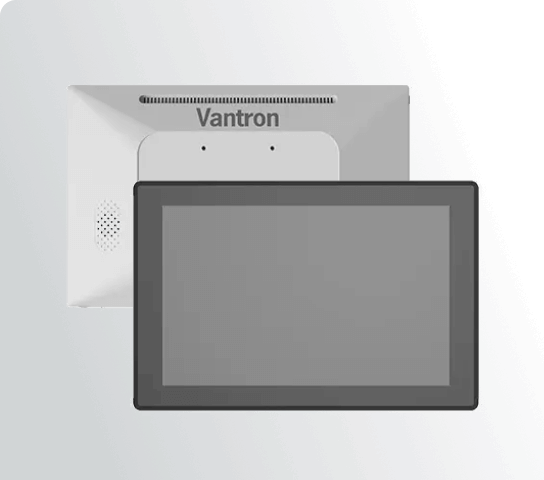
Choosing an all in one medical panel PC for healthcare equipment requires more than comparing processor speeds and display sizes. OEMs, system integrators, and healthcare technology teams must determine whether the computer can support the target software, operator workflow, equipment interfaces, physical installation, and long-term product requirements.
The right choice starts with the equipment rather than the computer. A laboratory analyzer, patient-monitoring station, medical cart, and imaging system can demand very different computing resources. Selection should therefore translate the equipment’s actual requirements into specific hardware decisions.
First Decide What the Computer Is Actually Responsible For
The first question is the computer’s role within the healthcare system. If it primarily provides an equipment interface, priorities may include responsive touchscreen interaction, dependable I/O, and straightforward communication with the host system.
More demanding equipment may require local visualization, data processing, device management, or AI inference. Medical imaging applications can place greater demands on graphics and processing resources, while laboratory automation may depend more heavily on stable communication with instruments and peripherals.
That distinction prevents unnecessary overconfiguration. Selecting a powerful processor does not automatically create a better healthcare system if the application uses only modest computing resources. Excess capacity can also increase cost and thermal requirements.
Under-sizing creates the opposite problem. Limited memory, storage, graphics capability, or processing resources can restrict software updates and reduce application responsiveness. The equipment specification should therefore define the operating system, application software, expected workload, display requirements, and connected peripherals before the hardware configuration is finalized.
Processor Choice Should Follow the Software Stack
Once the workload is established, processor architecture becomes a more meaningful selection criterion. Intel-based x86 platforms can suit applications that rely on established PC software environments, while ARM-based platforms can support embedded designs where power efficiency and integrated computing capabilities are priorities.
Engineering teams can evaluate different ARM-based processor platforms according to the target application. An NXP i.MX9 configuration, for example, should be assessed against the software environment, processing requirements, connectivity, and lifecycle expectations of the equipment instead of being selected solely because of the processor family.
Edge AI introduces another variable. Equipment performing local inference may require suitable acceleration resources, memory capacity, supported software frameworks, and sufficient sustained processing capability. A computer intended for machine-vision analysis should consequently be evaluated differently from one used mainly for patient information or equipment control.
For OEMs comparing processor platforms, Vantron provides all-in-one panel PC options built around different embedded architectures. This gives engineering teams a practical starting point for matching computing resources with the software, interfaces, and workload of the finished healthcare equipment.
The Display Is Part of the Equipment Interface
Display selection should reflect how operators receive information and control the equipment. A dedicated instrument may need a compact interface showing measurements, alarms, and controls, while an imaging workstation can require considerably more screen area for detailed visual information.
Touch interaction deserves the same application-specific evaluation. Healthcare personnel may operate equipment while wearing gloves or performing procedures that require quick and repeated input. Touch responsiveness, front-panel construction, and interface layout can therefore affect the usability of the finished system.
Resolution should also be considered in relation to the application. A higher-resolution display can support detailed visual content, but the practical value depends on software design, viewing distance, graphics capability, and the quantity of information presented simultaneously.
Check the Interfaces Against the Equipment Schematic
Connectivity can determine whether the computer integrates cleanly into an existing medical system. Engineers should map required connections before approving a configuration, including Ethernet, USB peripherals, serial communication, external displays, storage, and other equipment-specific interfaces.
A laboratory automation platform may communicate with several instruments, whereas a bedside system may connect to hospital networks and additional peripherals. Selecting the computer before completing this interface map can result in unnecessary adapters, additional components, or redesign work.
Wireless connectivity and expansion should also be driven by the actual architecture. A specification sheet containing numerous unused interfaces provides little value if the connections that the equipment actually requires are missing or poorly positioned.
Connector placement can become especially important after installation. Ports need to remain accessible, while cables must be routed without interfering with carts, mounting arms, cabinets, or other mechanical assemblies.
Physical Integration Can Eliminate an Otherwise Suitable Computer
A technically capable panel PC can still be unsuitable if its mechanical characteristics conflict with the target equipment. Healthcare systems often operate within constrained spaces, requiring the computer to fit into a cabinet, wall, cart, console, or articulated mounting structure.
Engineers should compare dimensions, mounting requirements, connector locations, power arrangements, and thermal conditions against the finished mechanical design. The objective is to validate the computer as a component of the complete device rather than as a standalone computing product.
Cleaning and environmental requirements deserve similarly specific attention. Buyers should verify enclosure characteristics, materials, protection levels, and applicable certifications with the supplier and the equipment’s regulatory team. A product intended for healthcare should not automatically be assumed to satisfy every requirement of every clinical environment.
The Final Choice Should Survive the Next Product Revision
A healthcare equipment project should not select hardware only around today’s software build. Product teams also need to consider operating-system support, application updates, storage requirements, peripheral changes, and expected production volumes.
Lifecycle planning matters particularly to OEMs. Replacing the computer after validation can affect mechanical design, software integration, testing, manufacturing processes, and documentation. A seemingly minor hardware change can consequently become a substantial product-development issue.
A well-matched panel PC should fit naturally into the equipment’s software, mechanical design, operator interface, and communication architecture. Laboratory automation, medical imaging, patient monitoring, and other connected healthcare systems may have very different requirements, so the final configuration should be based on the actual workload and deployment environment. Looking beyond headline specifications helps OEMs choose a computing platform that remains practical throughout development, validation, and production.
